Showing posts with label lisa. Show all posts

Thursday, May 10, 2012

Diagnosis: 1E1

Since the keyboard I had was missing some keys and was acting very non-keyboard-like, I procured a replacement on eBay, which happened to come up at an opportune moment and not cost very much. It was untested, apparently the seller still had the keyboard but no longer had a computer to test it on. But it looked nice, both in the auction, and once it arrived. And, moreover, it seems to mostly work.

Lisa new keyboard

It was certainly able to take me into service mode, which was what I was hoping for, so that I could look at where the RAM problem was. I tried all the alphabetic keys and they all seem to work, with the exception of "A" and "J". I'm going to probably need to address this keyboard by replacing the foam backings on the keys, but now I at least have two keyboards to work with, in case spare parts are needed.

Lisa new keyboard qwertyuiop

Having taken the Lisa into service mode, I was able to see what chip it thinks is bad, thanks to this extremely helpful post on LisaList by James MacPhail.

Lisa service ram flags shown

According to the diagnostics, the chip on memory card 1, row E, column 1, is faulty.

Lisa ram 1e1

Looks fine to me, but, nevertheless, I downgraded the Lisa from being a 1MB machine to being a 512KB machine. I have no way to fix that RAM chip right now, but I do have a way of taking it out of the machine.

And: success! Sort of. No errors, this time. Just no boot disk. I tried again putting the Mac 512K boot disk in, but again the drive whirred a bit and then just spat it out.

Lisa still no disk

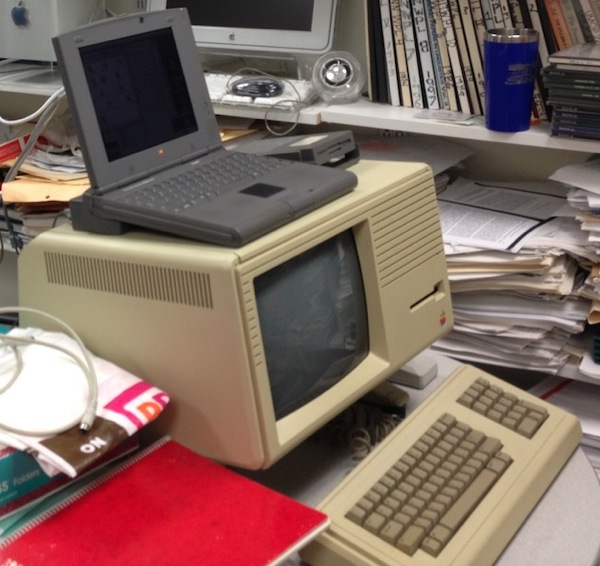
So, the next thing I'll try is using my Duo 2300c and accompanying 3.5" drive to see if I can make a disk the Lisa can boot from. I set up the machines, but the trial itself will need to wait for another time.

Lisa 2300c

Monday, April 30, 2012

On to error 70

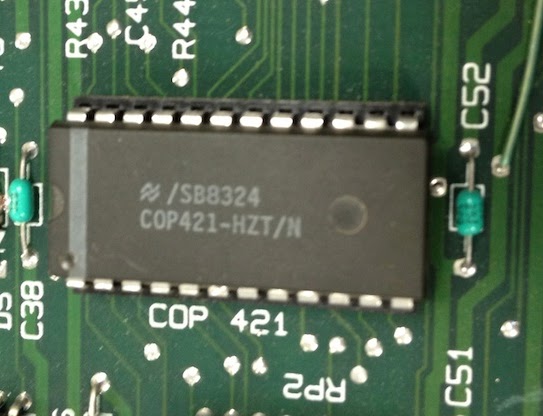
It turned out that finding a replacement for the COPS chip in the Lisa was not as difficult as I'd anticipated, although I also think I was just startlingly lucky in my timing. The person I bought the Lisa from originally actually volunteered one to me, and I bought a replacement for the uncovered EPROM from him at the same time. The COPS chip arrived today and I wasted no time putting it into place. Here we go, much better.

Lisa cop421 in place

Here's the whole I/O board, with the new disk EPROM and new COPS chip.

Lisa ioboard new chips

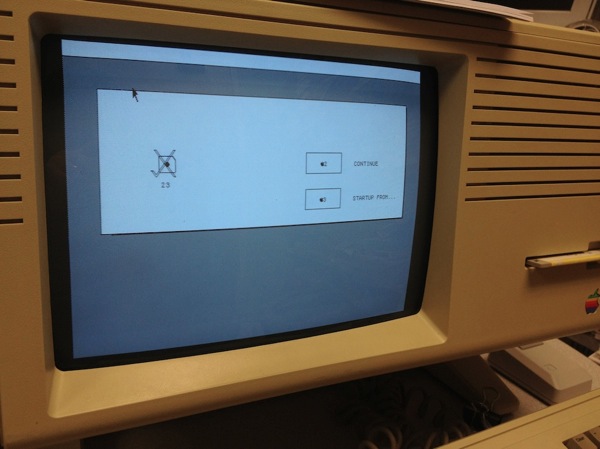
Eager with anticipation, I plugged the Lisa in. Before, as soon as I plugged it in, the Lisa powered up and gave me the COPS error 52. This time, when I plugged it in, I got this:

Lisa powerless

FanTASTic! This is actually exactly what I wanted to see. The COPS chip controls the keyboard, the mouse, and the software for the power circuit. The fact that that Lisa was powering on unprompted before was a direct symptom of having a faulty (or, in this case, missing) COPS chip. So, I hit the power button, and...no more error 52.

Lisa error70

Now I have a memory error in memory board 1, but I'm past the COPS error. Not only that, but the mouse works.

Lisa error70 continue

I moved it over and clicked on "Continue", which, despite the error, was an allowable option.

Lisa error70 startupfrom

I put the boot disk I have into the drive, which it appeared to accept with the usual noises. The Lisa gave reading the disk a go for a little while.

Lisa error70 startup wait

And then just spat the disk back out. I'm not sure it is expected to work, who knows what condition the disk is in or whether it is even a suitable boot disk. It claims to be a Mac 512 boot disk, after all.

Lisa error70 startup reject

The RAM error I'm getting indicates that the most likely problem is that one (or more) of these chips is bad.

Lisa memboard1

Ouch. Worse, these chips are not socketed, they are soldered right to the board. Not so easy to replace.

Lisa solderedram

There is, it appears, a trick to determining which RAM chip is bad, as reported on Tezza's Classic Computers blog, which involves taking the Lisa into service mode and looking at one of the memory locations. Getting the Lisa into service mode involves pressing Apple-S at an appropriate moment. However, this leads to the next problem I have: the keyboard doesn't work. It's not that it entirely doesn't work, it's just that, as far as I can tell, only one key does anything. This is the "key" that does something: the stem where W was supposed to be.

Lisa missing w

And what it does is this: it teleports the mouse cursor about a quarter of the way down the screen. But there's no way to enter service mode with the keyboard in the state that it is in. It could be that replacing the pads will help, or it could be that this keyboard just needs to be replaced in its entirety. That's not a cheap proposition, but it is, at least at the time I'm writing this, a possible one. They do exist for sale, they just cost a lot.

Here's a movie of the Lisa starting up, and demonstrating the weird cursor teleport behavior. It's a bit hard to see anything on the screen because it is overexposed, but you can see the mouse cursor jumping down as I hit the "W" key.

So... not there yet, and it's probably going to cost me a bit to get there, but progress is being made.

Tuesday, April 24, 2012

Error 52 and mystery of the missing COPS chip

So, the Lisa starts up with an I/O board error, number 52. According to my list of errors, this is an "I/O COPS error" which might have as its solution a replacement of the COPS chip.

Lisa error52 list

There are a couple of other possible problems that could cause this I think. It could be due to a problem with the keyboard or the mouse. I just recently got an appropriate mouse and plugged it in, but that didn't change anything. Still got error 52. I'm hoping that if the keyboard were at fault I'd get error 53 instead, but the keyboard for this Lisa is in relatively bad shape.

So, I decided I'd take out the I/O board again and see what I could see. Here is the COPS chip, nothing looked particularly wrong, except maybe that it was kind of out of focus. But I figured just for the heck of it, I'd pull it out and reseat it.

Lisa cop421 initially

So, out it came, and—well, that's not right. One of its pins had not been in the socket, but had been bent up underneath. This problem wasn't really visible when the chip was seated, but it was pretty obvious when the chip came out.

Lisa cops bent pin

I carefully bent the pin back to straight and put it back in its socket, this time with all pins reporting for duty. The pin I bent back is still bowed out a little bit but is in the socket.

Lisa cops reseated

Lisa then reassembled, I plugged it in again to try it out.

Lisa post cops still 52

Well, ok, that didn't help. Though I'm not sure that I trust that COP421 chip anymore, it's possible that it needs to be replaced. One other thing I observe is that the upper right corner of the screen says "H"—this is strange, it is supposed to say "H/88" (or possibly "H/A8") where the second number reports the floppy drive ROM version. But there's nothing. Which suggests to me that this chip might also be a problem.

Lisa uncovered u2a eprom

This is an EPROM, and so should have its window covered. There should have been a sticker over it. Here's a picture of Mike Maginnis' chip (cropped and hosted here), from his lovely album of the innards of one of his Mac XLs. Mine should have looked like that, and there is a risk that UV light might have gotten through the window and erased or partially erased that EPROM.

Lisa maginnis u2a

This is the ROM for the 400k disk drive, and is the ROM that should be reporting the "88" after the "H", but as seen above, I'm getting just "H". So, it isn't crazy to think that this might be the source of a problem as well. One thing I've been advised to do but haven't done yet is to clean the gold fingers on the I/O board, but I've taken it out and put it in several times now, so I kind of doubt that this would solve the problem by itself. I think what I'll need to do is start by replacing both the COP421 chip and the Drive ROM. I'm not sure how easy it will be to get a COP421 chip, but the drive ROM is pretty easy and cheap to buy. So, that's I guess where I'll go next.

Followup, shortly after the initial posting: you know, there's another problem. I'm pretty sure that's quite simply not the right chip in the COPS socket. It's the right size, but I do not think it is even a COPS chip. There's a frighteningly detailed analysis of the Lisa COP421 on visual6502.org, where they refer to the chip as being "a difficult chip to replace" and being "a National Semiconductor COP421 from the 'COPS' family, customized for Apple." The correct chip should be Apple 341-0064A, but this one says MM58167AN on it, which appears to be a clock chip. I've concluded that what I in fact have here is an Apple /// clock chip. Here is a picture from one of vintagemicro's auctions [hosted here] for an official Apple /// clock upgrade, and it's that very same chip that is included in the upgrade kit.

A3cc2 001

I can't say what happened here, but I suspect that the COP421 chip failed and somebody attempted to replace it at some point with another chip that fits. I think the likelihood that the COP421 chip and this clock chip are functionally identical is about zero. So, there really is a serious problem with the COPS chip, and it might well be a serious problem for me, since I don't know that I'm going to be able to replace this thing except by finding another Lisa I/O board. The hunt begins.

Friday, April 20, 2012

XLent

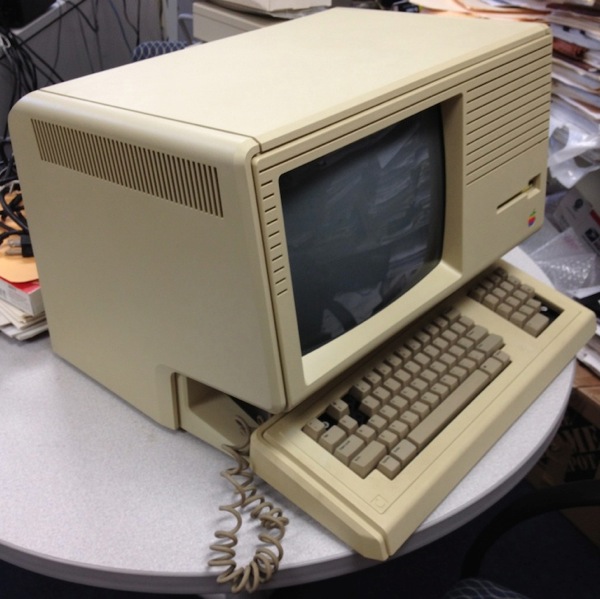
The Apple Lisa was a big deal, you can read all about it on the internet, I won't go into a lot of depth here. It was Apple's first foray into GUI, before there was a Macintosh. The original ("Lisa 1") actually says "Lisa" on the front, and had two 5.25" disk drives that used "Twiggy" disks. The Twiggy disks were unreliable, and so when the Lisa 2 came out, with a 3.5" drive instead, Apple upgraded people's Lisa 1s to Lisa 2s for free. As a result, very few Lisa 1s are left. The Lisa 2 later got a hardware revision (the "2/10") and then a software revision which basically turned it into a Mac (at which point the machine itself was then called "Macintosh XL" instead of "Lisa 2/10"). Lisa 1s originally sold for $10,000, Lisa 2s for $4,000. They didn't fly off the shelves, particularly once the much cheaper Macintosh was released. But in a move that's just painful to think about, Apple took its remaining Lisa stock in 1989 and destroyed it (in order to get a tax write-off), crushing them and burying them in a landfill in Utah. So by now, Lisas are thin on the ground. They do appear on eBay, but very often in non-working condition or missing the keyboard, etc., and regardless of condition their auctions rarely end below $700. Plus, they are relatively heavy (and of course fragile) and so they are expensive to ship.

Not long ago, one of the people on eBay who pretty reliably has Lisa and Apple III equipment decided to clear his inventory of a bunch of non-working Lisa 2/10 (Mac XL) machines that he didn't want to repair. They went up with a "buy it now" price, which meant that there was no auction frenzy to drive the price up, and there were 10 of them. He was careful to point out in the listing that they did not power up, and he did no further troubleshooting on them. They were complete inside, and they look good, they came with keyboards that were missing some keys and without a mouse. They weren't cheap exactly, but they were fixed at a level I felt I could reach and well below what recent machines (even non-working ones) had gone for. So, after some internal debate, I decided that this was probably about the best I was going to do, if I were ever to be able to own one. And the fact that it was complete gave me hope that someday I might be able to restore it to working condition.

Fast forward about a week and a half:

Lisa box

Fast forward about 20 minutes:

Lisa unpacked

As promised, it looks nice and is missing some keys. One of the oddities about the Lisa is that it is unbelievably easy to disassemble. The front panel pops off by pressing a couple of tabs, and so I opened it up to investigate. One lonely 400k 3.5" drive, but with a bonus disk inside (labeled "Mac 512 boot disk 400k").

Lisa front open drive

Taking the guts out in the back is also very easy. The back panel folds down and pops off after just turning a couple of thumbscrews, and then the power supply and board "cage" slide out. I took it all out.

Lisa back open

I took out the power supply, and then plugged it in all by itself, just to reassure myself that it wouldn't explode or catch fire or anything when plugged into the wall. It didn't. It didn't do anything.

Lisa power supply

The board cage just slides out. It contains four printed circuit boards arranged vertically, one being the main brain, one being devoted to I/O function, and two being RAM. They have nice little release levers to help get them in and out. I took them all out and then put them all back, thinking that maybe this would help ensure the contacts were being made properly. And because I could.

Lisa board cage out

Here is the only Lisa logo I'm aware of anywhere near this machine.

Lisa board lisa logo

Then I put it all back together, and then thought, well, I might as try it. I plugged it in.
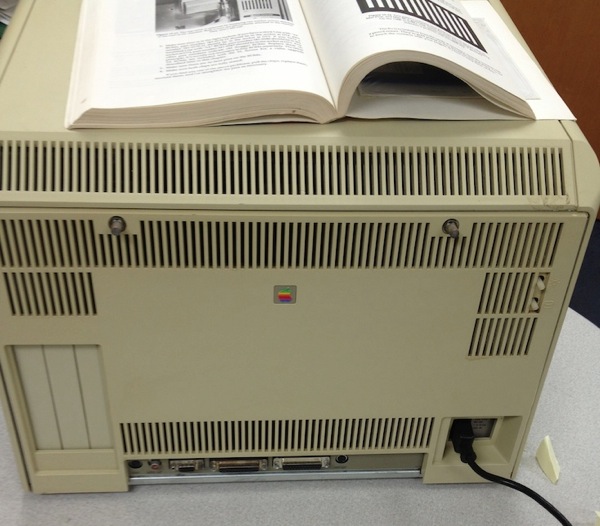
Lisa back reassembled

A little series of chimes and then this:
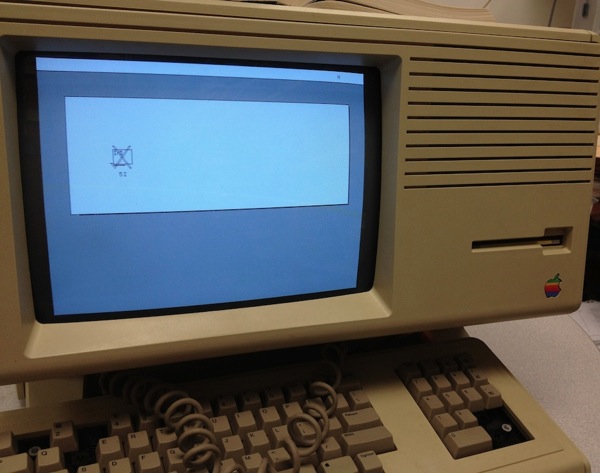
Lisa powered on

It's showing me that there's an error on the I/O board. But it's also showing me that this machine powers on, and the screen and speakers work. This was sold as a unit that would not power on, but now that it is on, I've leapt way ahead in the race to get this to work. When I let the seller know it had arrived and that it powered on, he was very surprised. It didn't power on for him before he sent it.
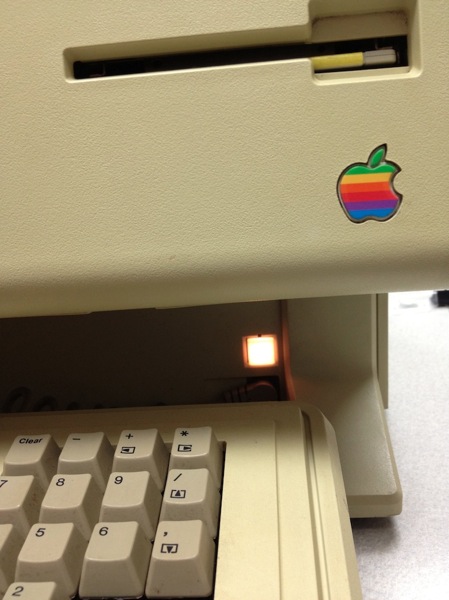
Lisa power light

It may well not be trivial to get this the rest of the way. But the troubleshooting process can now begin.